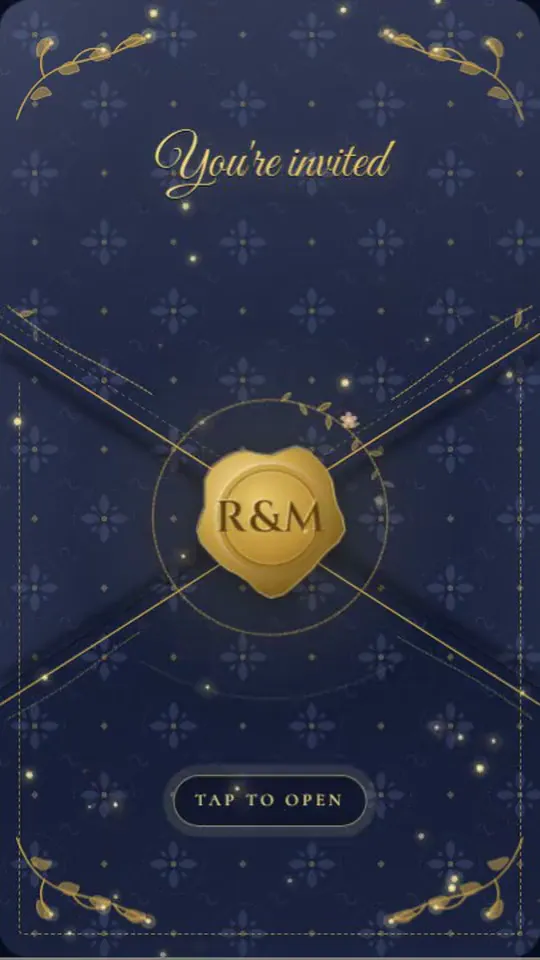
To send save the dates by text, put your save the date online as a link or save it as an image, then message each household individually with a short, personal note. Send one text per household rather than a group thread, and keep a printed card or a phone call ready for anyone who does not text.
Texting is fast, costs nothing to send, and reaches most guests where they already are. The timing rules do not change: send four to eight months ahead for a local wedding and eight to twelve for a destination, the range WeddingWire recommends.
Here is how to do it well, step by step, with messages you can copy.
Is it okay to send save the dates by text?
Yes, for most weddings. A save the date is an early heads-up rather than the formal invitation, so a warm, personal text is a perfectly acceptable way to share it.
Paper still makes sense for very formal weddings and for guests who rarely use their phones. For the full etiquette, see whether digital save the dates are okay.
What you need before you start
- A final guest list for everyone who will get a save the date.
- A mobile number for each household, kept in a spreadsheet alongside names, emails, and mailing addresses.
- The save the date itself, either a link to a digital card or a high-resolution image.
- Your wedding website, if you plan to mention it.
- A plan for guests who do not text, such as a printed card or a call.
Parents and siblings are your quickest source for relatives' numbers. A shared spreadsheet that each side of the family fills in saves weeks of back-and-forth.
Should you text a link or an image?
A link usually works better. It opens at full quality, can hold more than a flat picture, and guests can find it again in the thread months later.
An image is fine for a simple, photo-led design, but it can arrive compressed when sent between different kinds of phones, and fine print may blur.
| Question | Image | Link to a digital card |
|---|---|---|
| What guests see | A picture in the thread | A preview they tap to open |
| Quality | Can be compressed | Opens at full quality |
| Motion and music | No | Possible, depending on the design |
| Good for | Simple, photo-led cards | Animated designs and travel details |
If you go with a link, choose a service where guests do not need an app or an account to open it. dnvit works that way: guests tap a link sent by text, WhatsApp, or email, and the save the date opens without any sign-up.
How to send them, step by step
- Collect numbers. One row per household, with a note on who you will text.
- Create the save the date. Check every name and date, then preview it on your own phone. Our guide on how to create a digital invitation walks through the process.
- Write one template message. Then personalize the greeting for each person.
- Send a test. Text it to yourself and to a friend with a different kind of phone, and tap the link on both.
- Send individually. One message per household, ideally to the person you are closest to.
- Pick a friendly time. A weekday evening or a weekend late morning, never late at night.
- Log each send. Add a spreadsheet column for the date you sent it and any reply.
- Check in with the quiet ones. If someone has not reacted after a week or so, a quick call confirms they got it.
What if something goes wrong?
Most problems are quick to fix when you are tracking sends in a spreadsheet. Here are the usual ones:
- The link will not open for someone. Text the date and city as plain words, and mail a card if needed.
- A message fails or reaches the wrong person. Ask a relative for the current number before you resend.
- You spot a typo after sending. If it is the date or city, send a short correction to everyone; a small spelling slip can wait for the invitation.
- Someone asks to bring a guest. Answer kindly and directly, using the plus-one policy you set before sending.
Should you use a group text?
No. A group text shares every guest's number with everyone else, sets off a stream of reply-all messages, and feels like a notice rather than a note. Send individual messages instead, even if it takes an evening.
If many guests use WhatsApp, a broadcast list delivers your message to each person separately, though it only reaches contacts who have saved your number. Our guide to sending invitations on WhatsApp covers the details.
Text message examples you can copy
Simple and warm
Hi Jen! Daniel and I are getting married on October 9, 2027, in Savannah, Georgia. Here's our save the date: [link]. Formal invitation to follow!
For close family
Uncle Mike, we wanted you to hear it from us first: the wedding is on! October 9, 2027, in Savannah. Save the date here: [link]. It wouldn't be the same without you.
For a destination wedding
Hi Sarah! We're getting married in Tulum, Mexico, March 12 to 14, 2027. Here's the save the date with travel info: [link]. If your passport needs renewing, now's a good time.
Asking for a mailing address
Hi Marcus! Save the date for our wedding, May 15, 2027, in Austin: [link]. Could you reply with your mailing address? We'd love to send you an invitation.
When you are also mailing a card
Hi Grandma! Our save the date is below, and a printed copy is on its way to you in the mail. October 9, 2027, in Savannah. Love you! [link]
What if a guest does not have a smartphone?
Call them or mail a printed card with the same details. A basic cellphone will usually receive a text, but a link may not open, so put the date and city in the message itself.
Our article on digital invitations for older guests has more ways to include people who are not online.
When you are ready to make one, you can browse save-the-date designs and preview yours on your own phone before anything goes out.
Frequently asked questions
Is it better to text or email save the dates?
Use whichever each guest actually checks. Many couples text most households and email the few who live in their inbox or have not shared a mobile number.
Do guests need to reply to a save-the-date text?
No. A save the date does not ask for an RSVP, though most people will send a quick congratulations. The formal RSVP comes with the invitation.
Should I text both people in a couple?
One text per household is enough, sent to whichever person you are closer to. If you are close to both, a small thread with just the two of them is fine.
Can I send the wedding invitation by text too?
Yes, many couples do, as long as the invitation itself is complete and easy to open. Our article on text-message wedding invitations covers the etiquette and wording.